
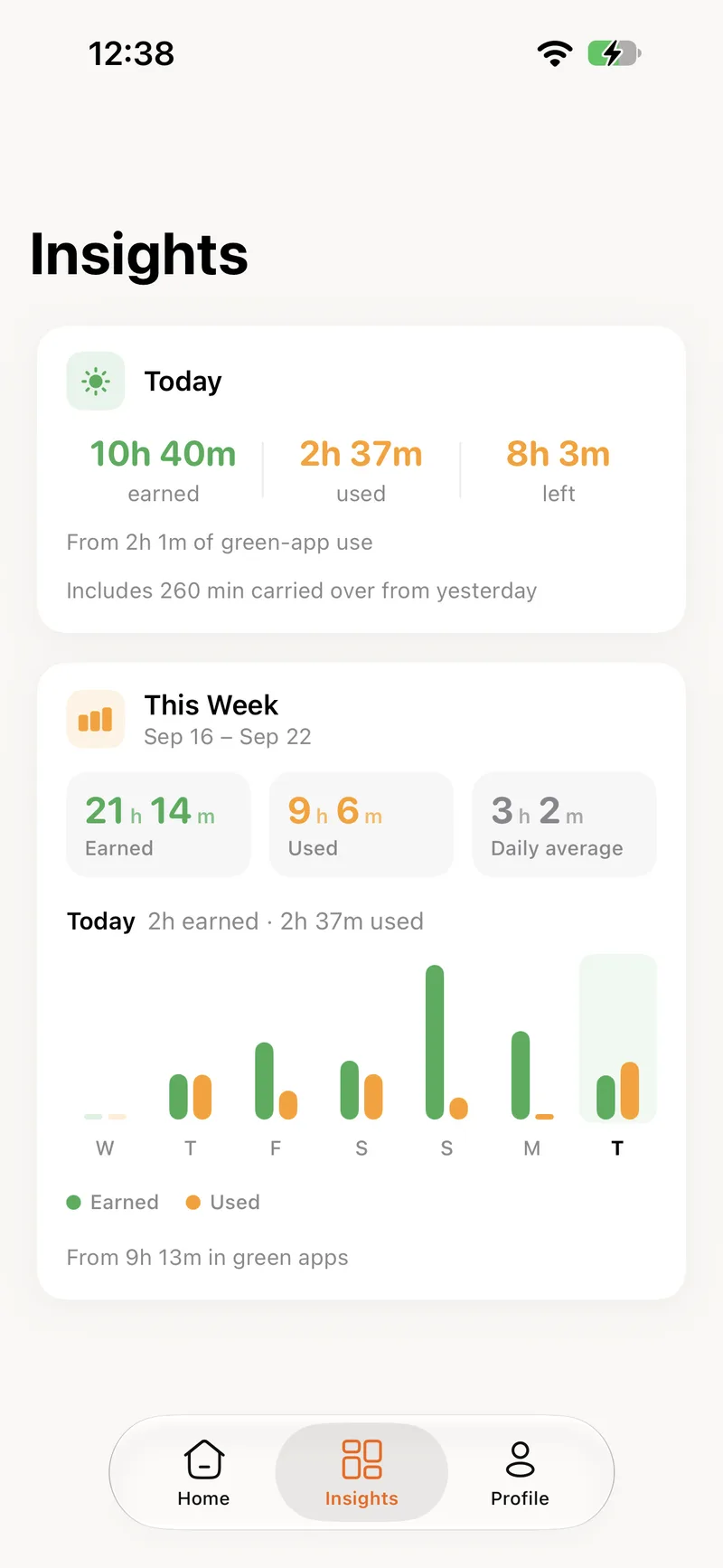
What was earned, what was used, day by day.
You do not need a report to know whether the balance is healthy. Two colours on one chart tell you: green for earned, yellow for used.
Three numbers at the top of every screen
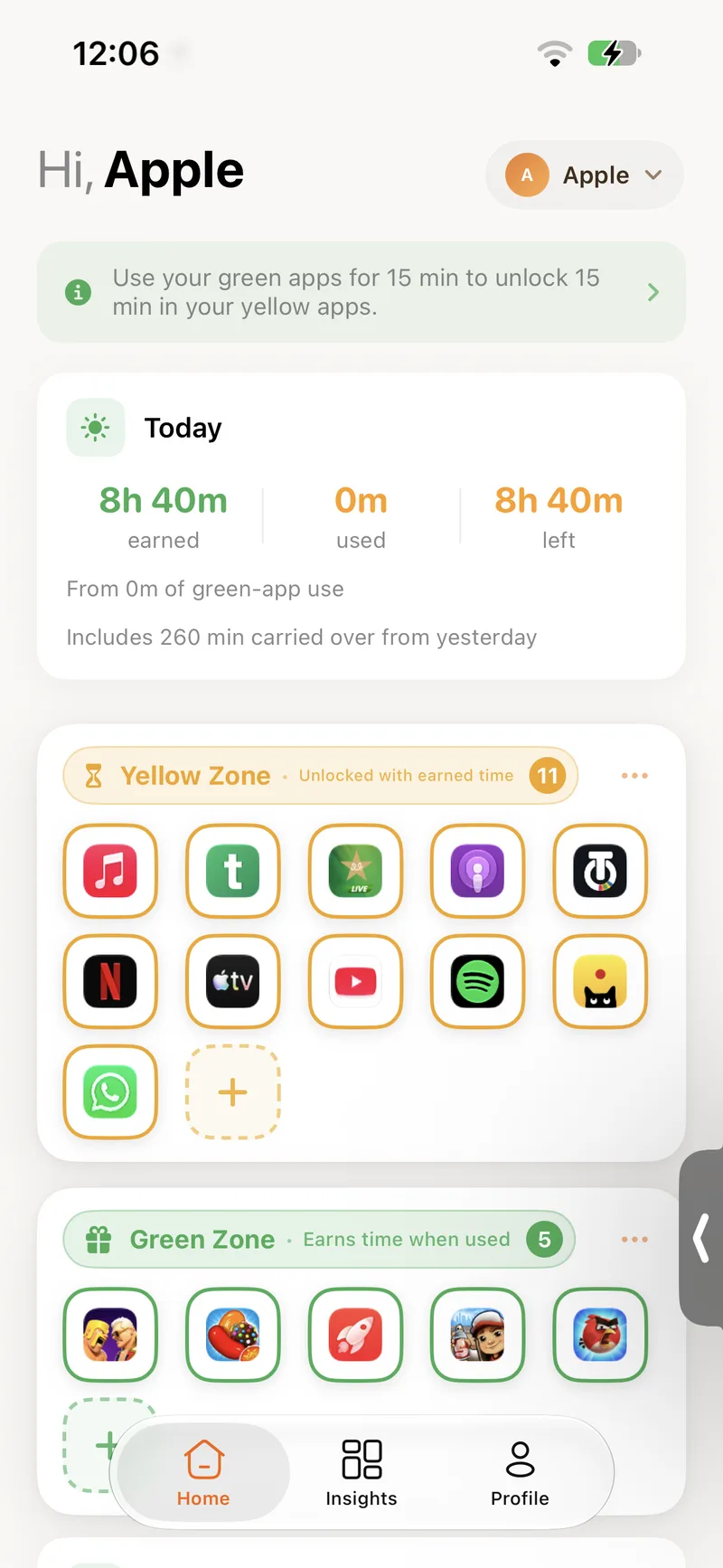
Earned, used and left. Under them, how much green-app use produced today's balance and how much carried over from yesterday.
- Earned, used and left, always visible
- How much came from green apps today
- Carry-over from yesterday, if it is switched on
Seven days, two colours
Green bars for earned minutes, yellow bars for used. Totals for the week and a daily average sit above the chart, and today is highlighted.
- Weekly totals and a daily average
- Today highlighted in the chart
- Total green-app time for the week
Watch the next block arrive
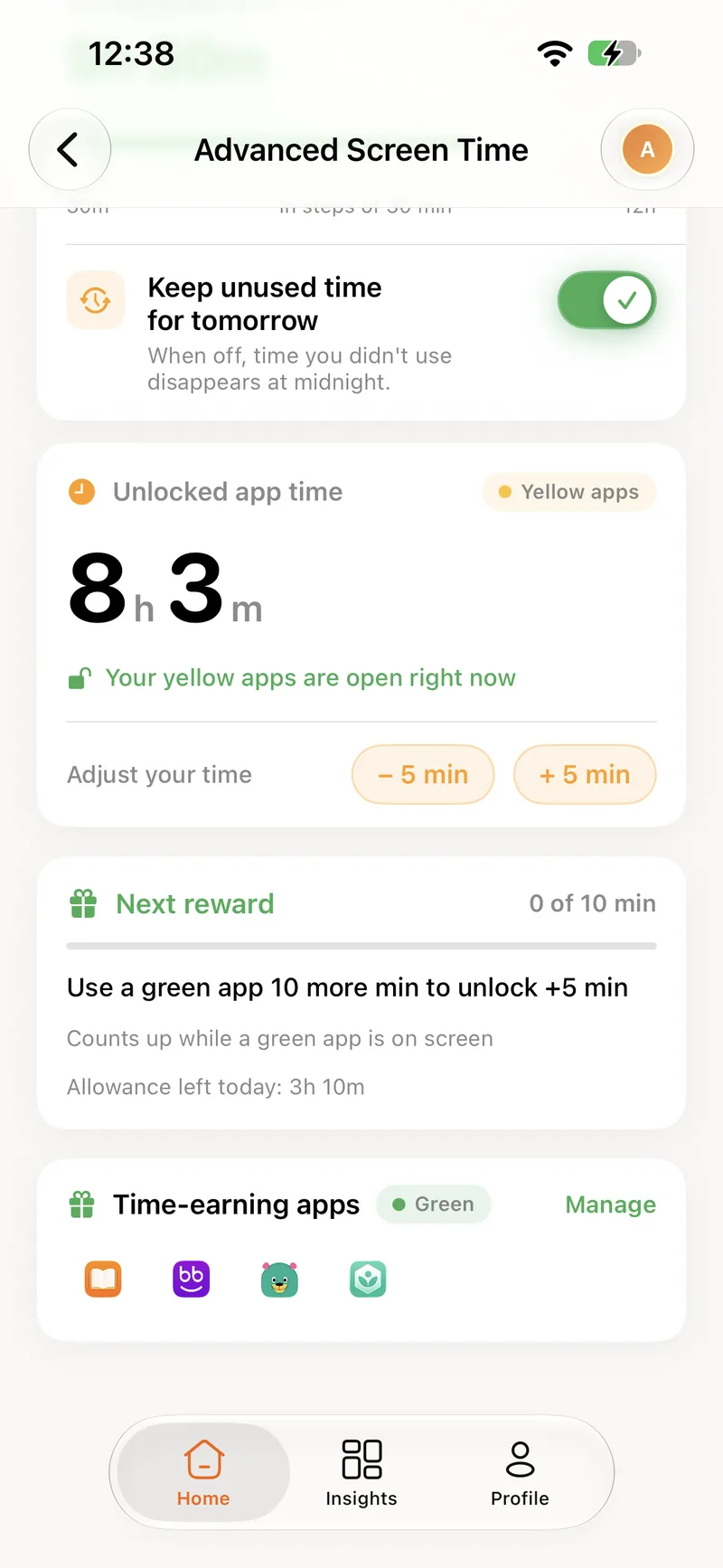
The Next reward bar counts up while a green app is on screen and shows how far away the next minutes are. It is the most-checked screen on a child's phone.
- Counts up while a green app is on screen
- Shows the allowance left under the daily cap
- A notification when the reward lands
Switch between children in one tap
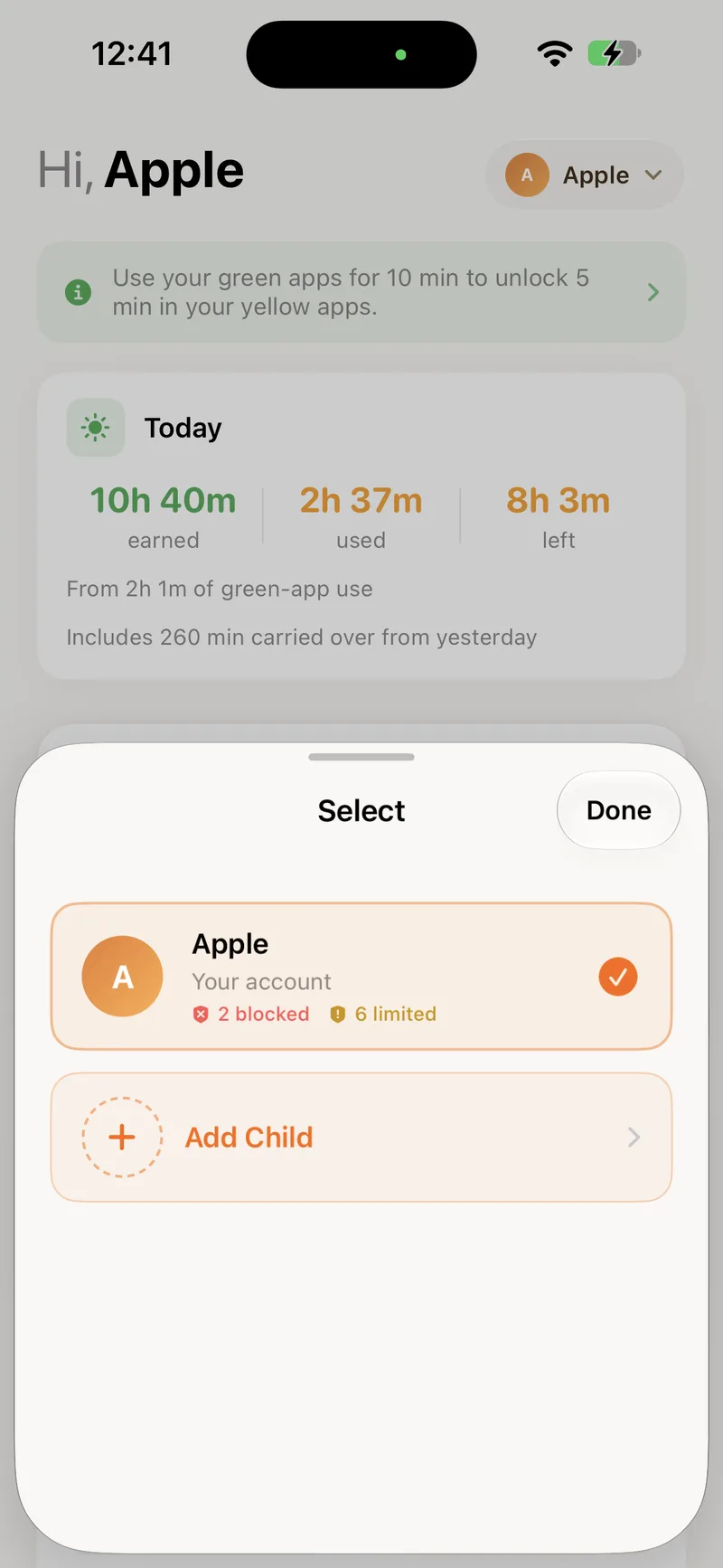
Each child has their own home screen, insights and rules. The selector at the top shows how many apps are blocked and how many are limited for each one.
- A separate balance and chart for every child
- Blocked and limited counts at a glance
About insights
It shows time earned in the green zone and time used in the yellow zone, not a per-app log. The point is the balance, not surveillance.
Ready to turn screen time into brain time?
Create your account here, install the app, and you are set up in a few minutes.