

Screen time your child earns.

Sort their apps into three zones once. Every minute in the green apps unlocks time in the yellow ones. Red apps stay locked, and one switch blocks everything.

For iPhone and iPad. Built on Apple Screen Time, so nothing on the device is bypassed.

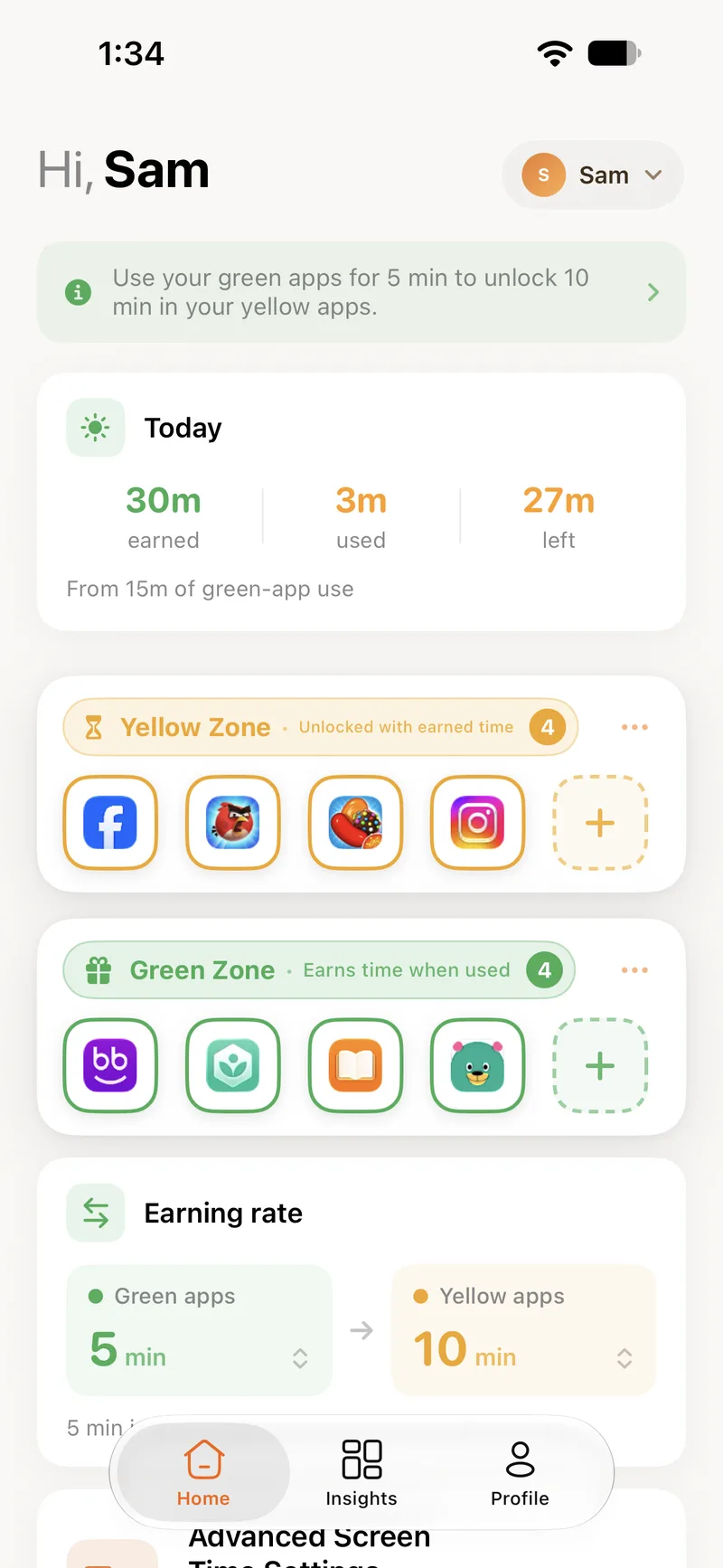
The BeeBright home screen showing today's earned, used and remaining minutes, and the yellow and green zones
Three zones

Sort the apps once. BeeBright does the rest, every day.

Each app on your child's phone belongs to one zone. Tap any app below to move it and see how the zones respond.

Green Zone6

The apps that teach

Reading, languages, maths, music practice. Green apps stay open all the time, and every minute spent in them earns minutes for the yellow zone.

Yellow Zone3

The apps that pull focus

Games, video, chat. Yellow apps open only while there is earned time left. When it runs out, they lock themselves until more is earned.

Red Zone1

The apps that stay closed

Anything you would rather they did not have at all. Red apps are blocked outright, and no amount of earned time opens them.

Tap an app to move it to the next zone.

See how the zones work
Earning rate

You set what a minute is worth.

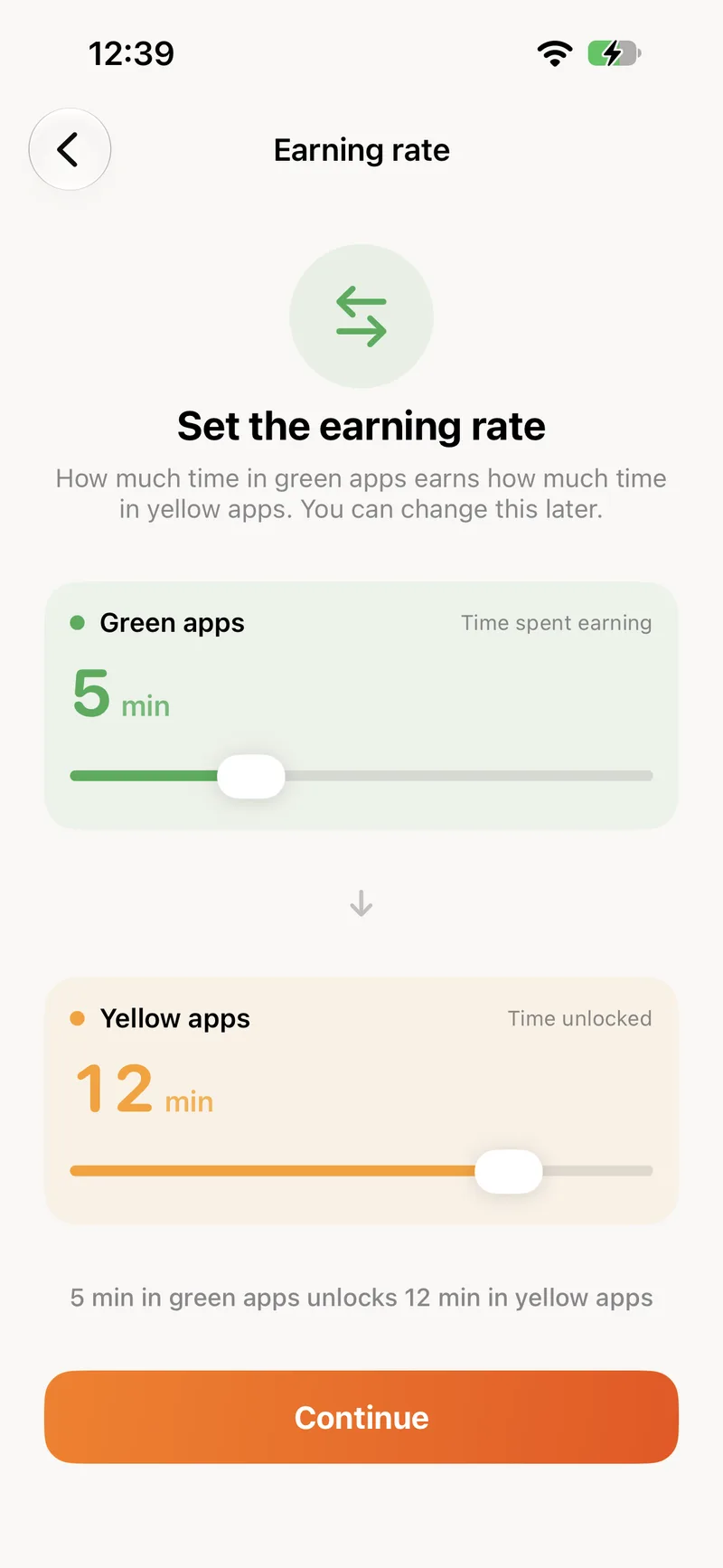
The exchange rate between green and yellow is yours to choose, from one to fifteen minutes on each side. Make it stricter or more generous whenever you like, per child.

Earning rate

Green appsTime spent earning

5min

Yellow appsTime unlocked

10min

Use your green apps for 5 min to unlock 10 min in your yellow apps.

An hour of green-app use earns about 120 minutes of yellow time.

The earning rate screen in the BeeBright app with two sliders
How it works

Learn, earn, enjoy.

The same loop the app walks your child through on their first day.

1
DuolingoKhan AcademyQuizlet

Learn

Time in a green app

The app counts up only while a green app is actually on screen. Leaving the phone on a page earns nothing.

2

Today

30 min

earned

+5 min

Earn

Minutes land in the yellow balance

Every earned block is added to today's balance, up to the daily cap you set. Unused time can carry over to tomorrow.

3
YouTubeRobloxInstagram
Unlocked

Enjoy

Yellow apps open

Games and video work like normal while there is time left. A notification tells your child when they earn more.

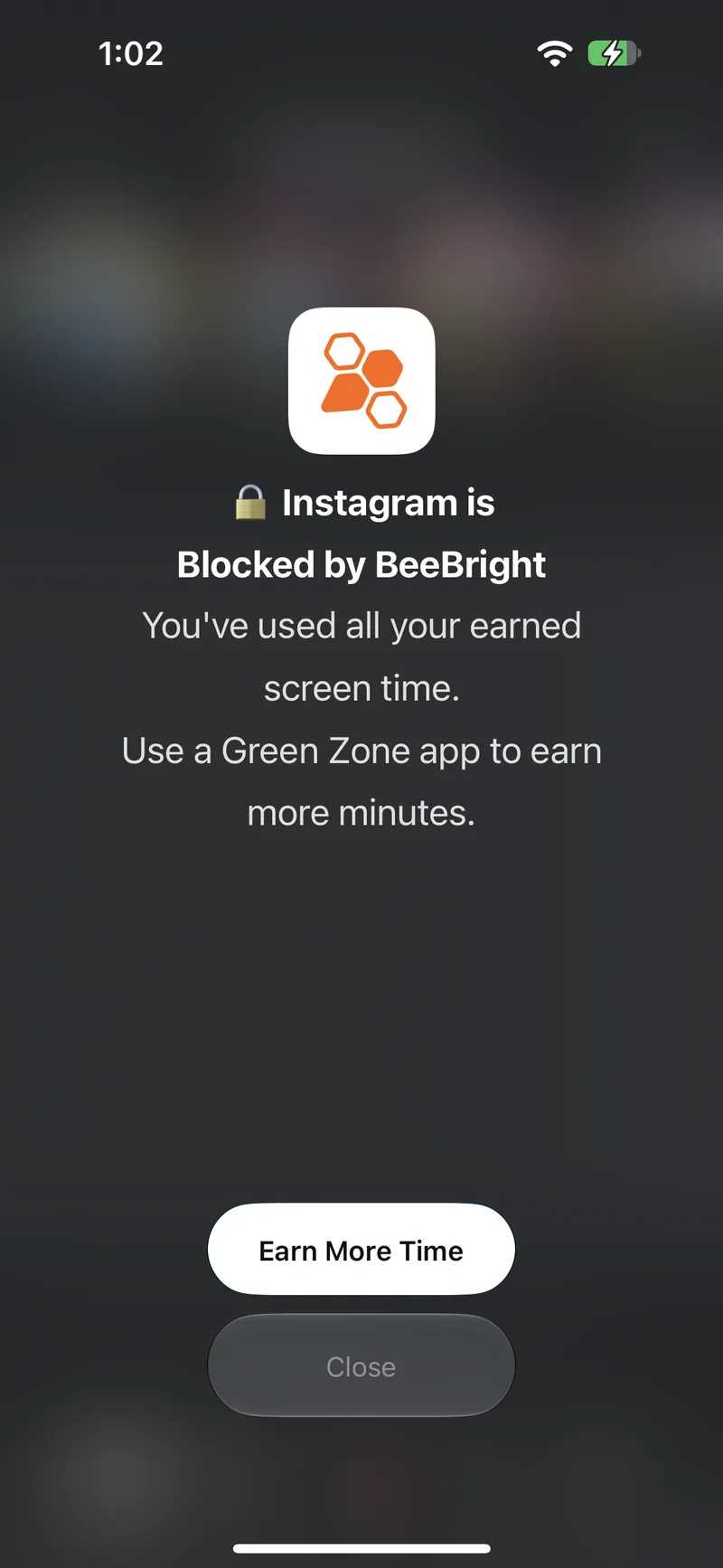
When time runs out

The app locks itself. Nobody has to say no.

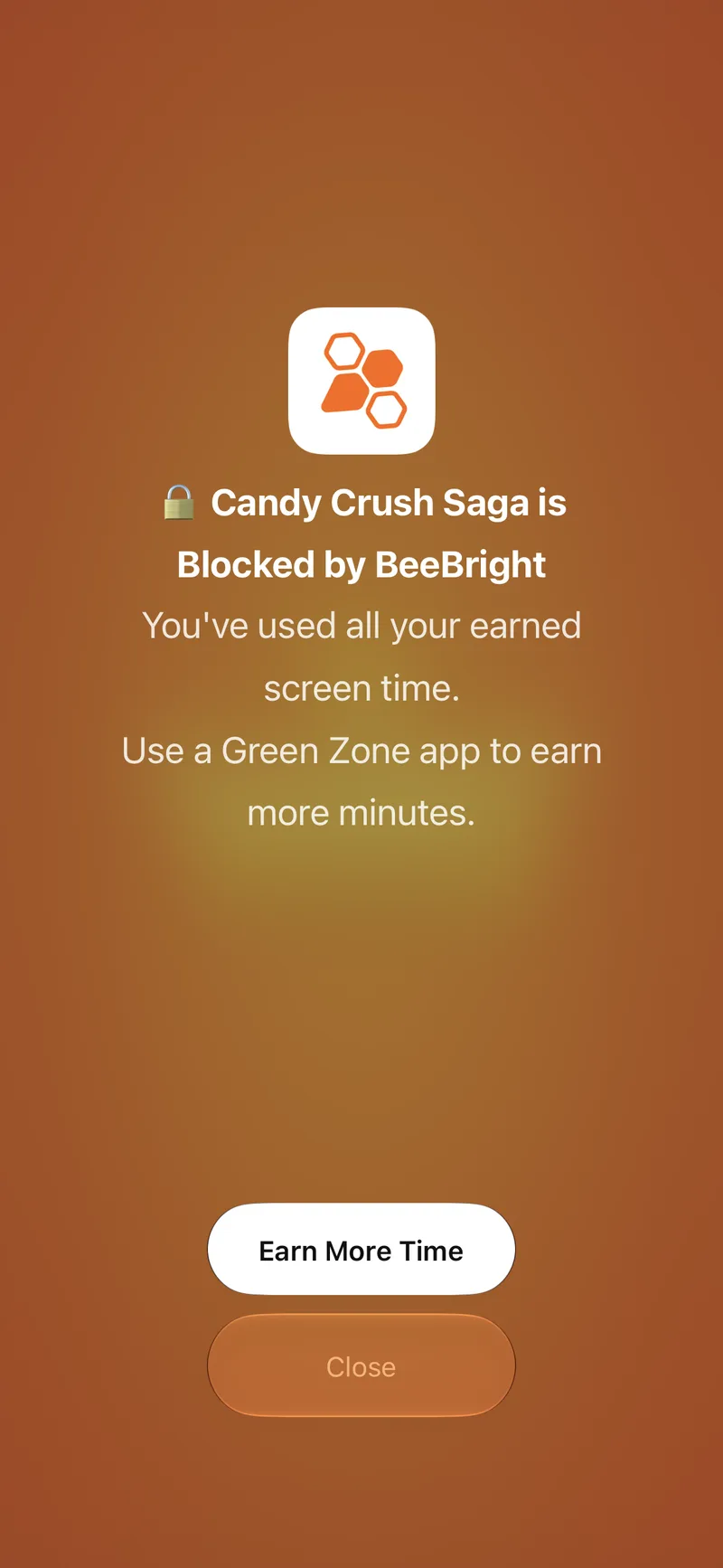
Once the earned balance hits zero, every yellow app shows BeeBright's shield instead of opening. The message tells your child exactly how to get back in: use a green app.

The BeeBright shield shown over a blocked app
Parent controls

One switch for everything. A list for the web.

For the moments the zones are not enough: dinner, bedtime, a bad day. Try the controls below. They behave exactly as they do in the app.

Block All Apps

Instantly restrict all apps

Off. The zones are in charge: green open, yellow while there is time, red locked.

Web Blocking

Block specific websites

2 / 50 websites

  • example.com
  • videosite.tv
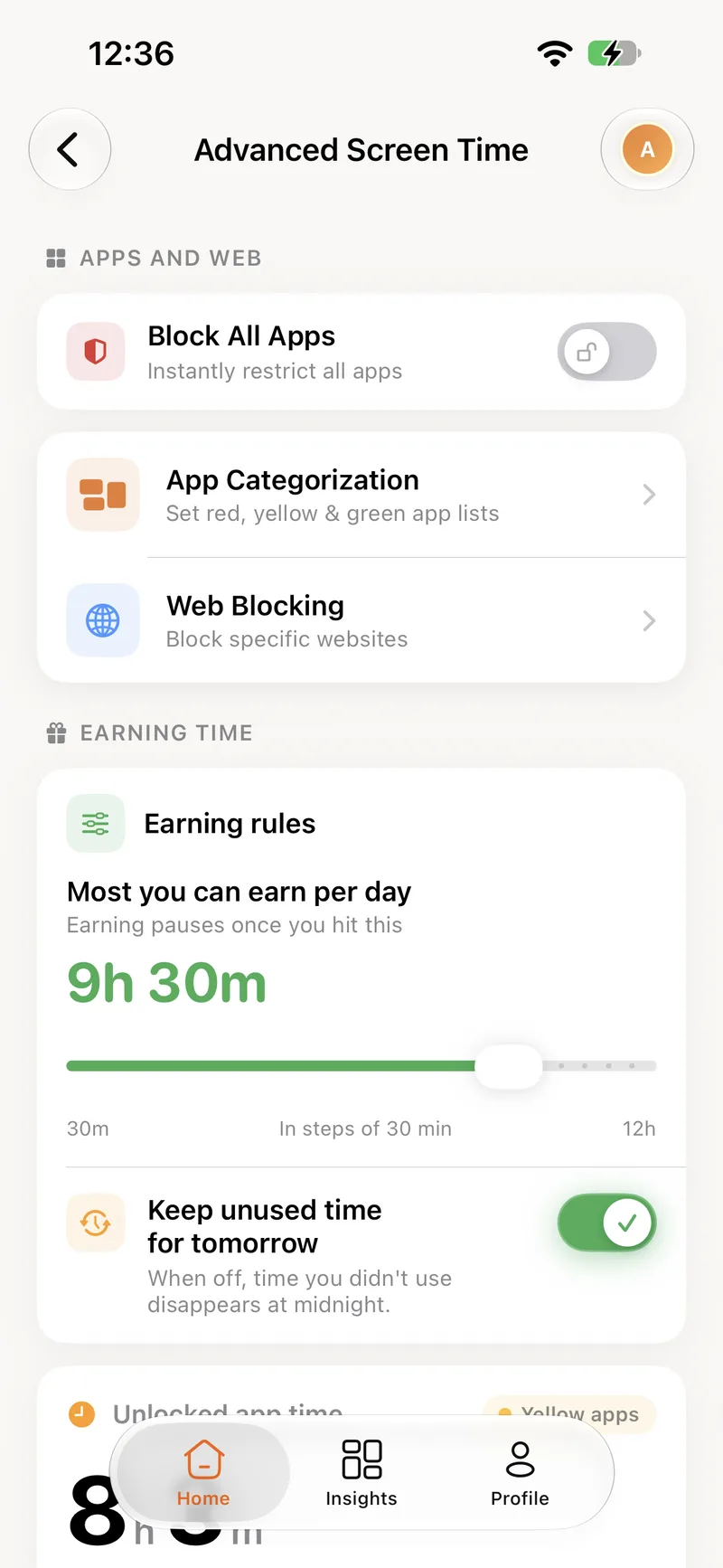
The Advanced Screen Time screen in the BeeBright app

Earning rules

How much can be earned, and what happens to it

Most you can earn per day

Earning pauses once you hit this

9h 30m

30mIn steps of 30 min12h

Keep unused time for tomorrow

Whatever is left at midnight is still there in the morning.

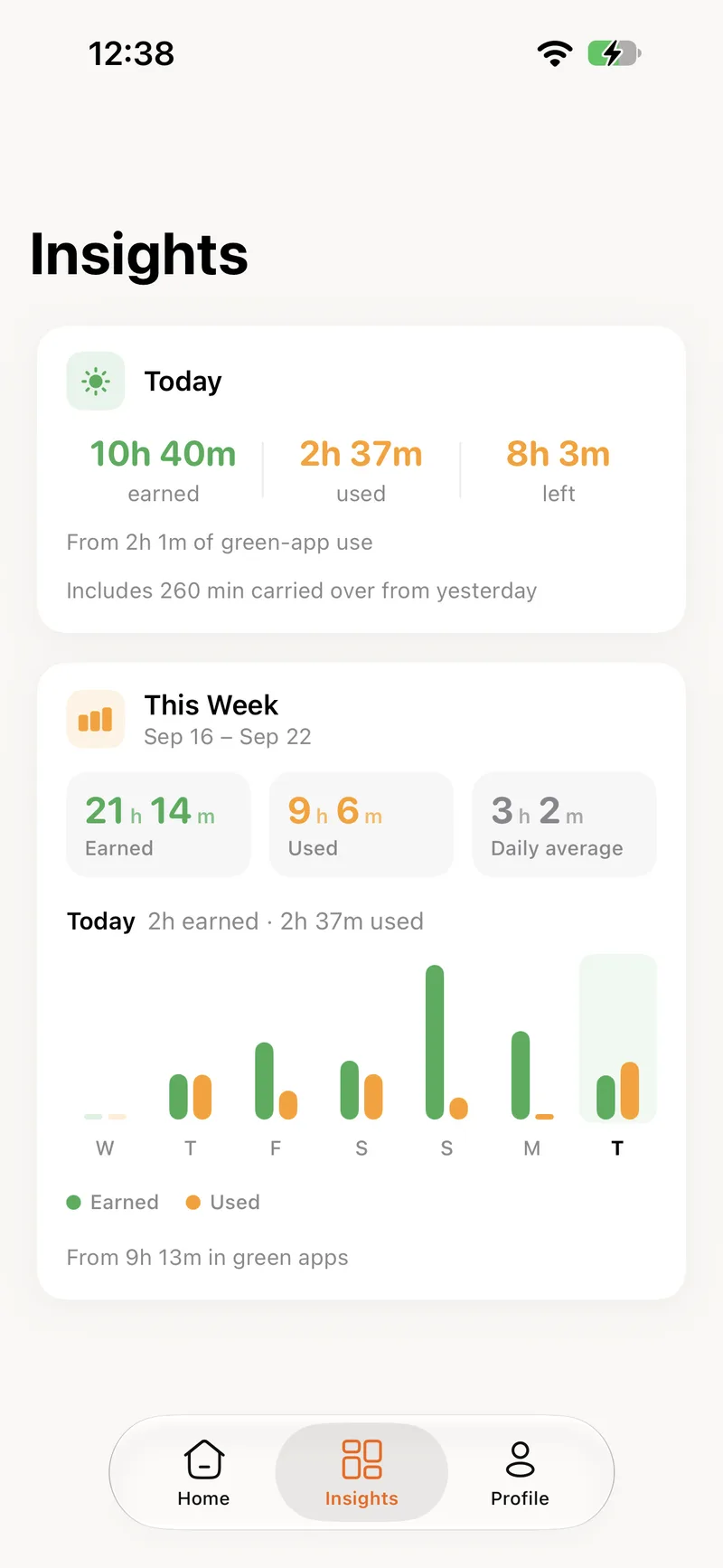
The Insights screen in the BeeBright app
Insights

See what was earned, and where it went.

A Today card and a seven-day chart for each child. Earned in green, used in yellow, so a glance tells you whether the balance is healthy.

This week

Earned and used, day by day

21h 14mEarned
9h 6mUsed
3h 2mDaily average
EarnedUsedToday
For families, and for you

One account. Every phone in the house.

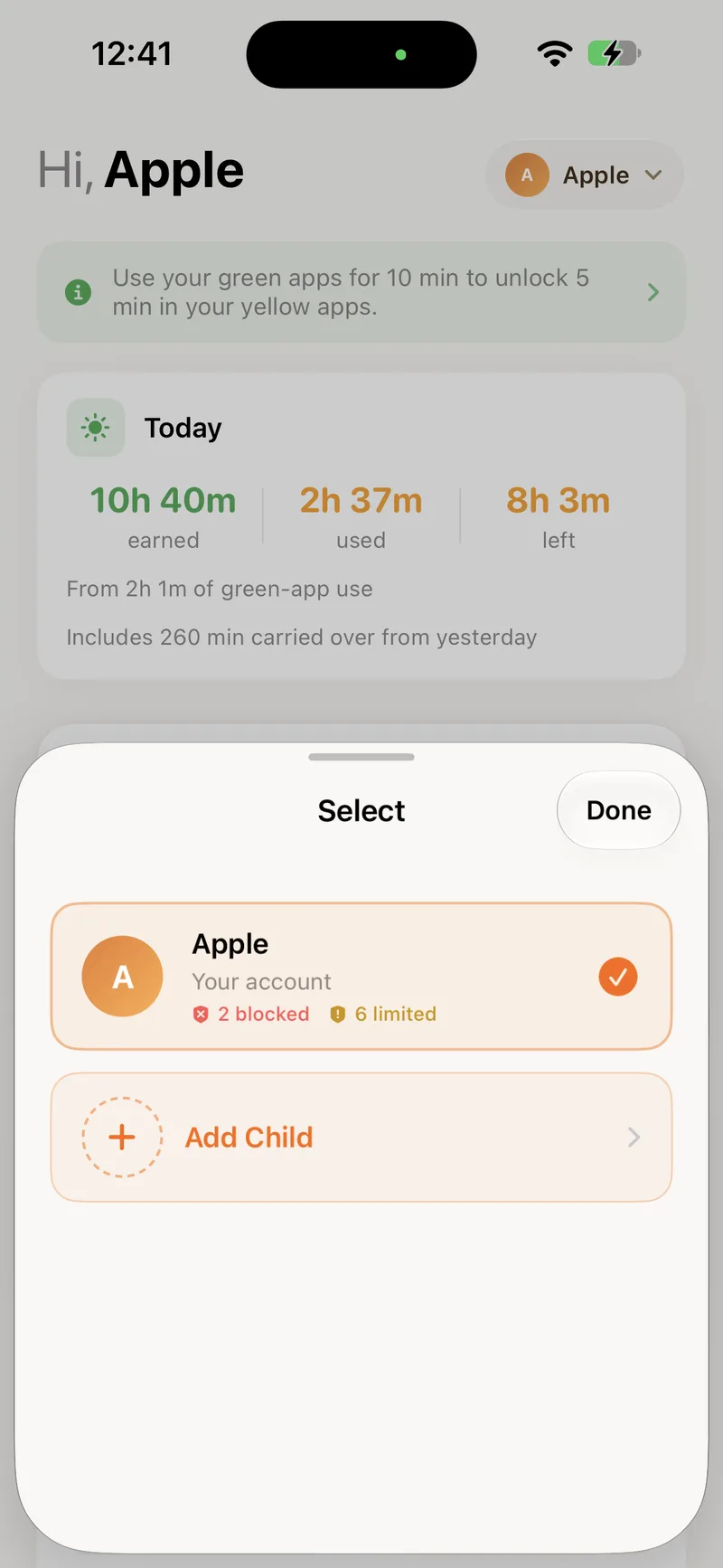
BeeBright runs on the parent's phone, on each child's phone, or on your own if you want to manage your own apps.

Parent

Set the zones, the earning rate and the rules for each child from your own phone. Block everything with one switch when you need to.

Child

Sees today's balance, which apps earn and which apps spend, and gets a nudge when time is running low. Leaving BeeBright needs the parent passcode.

Yourself

"I'm here for myself." Sort your own apps, earn your own scrolling time, and let the shield keep you honest.

The child selector in the BeeBright app
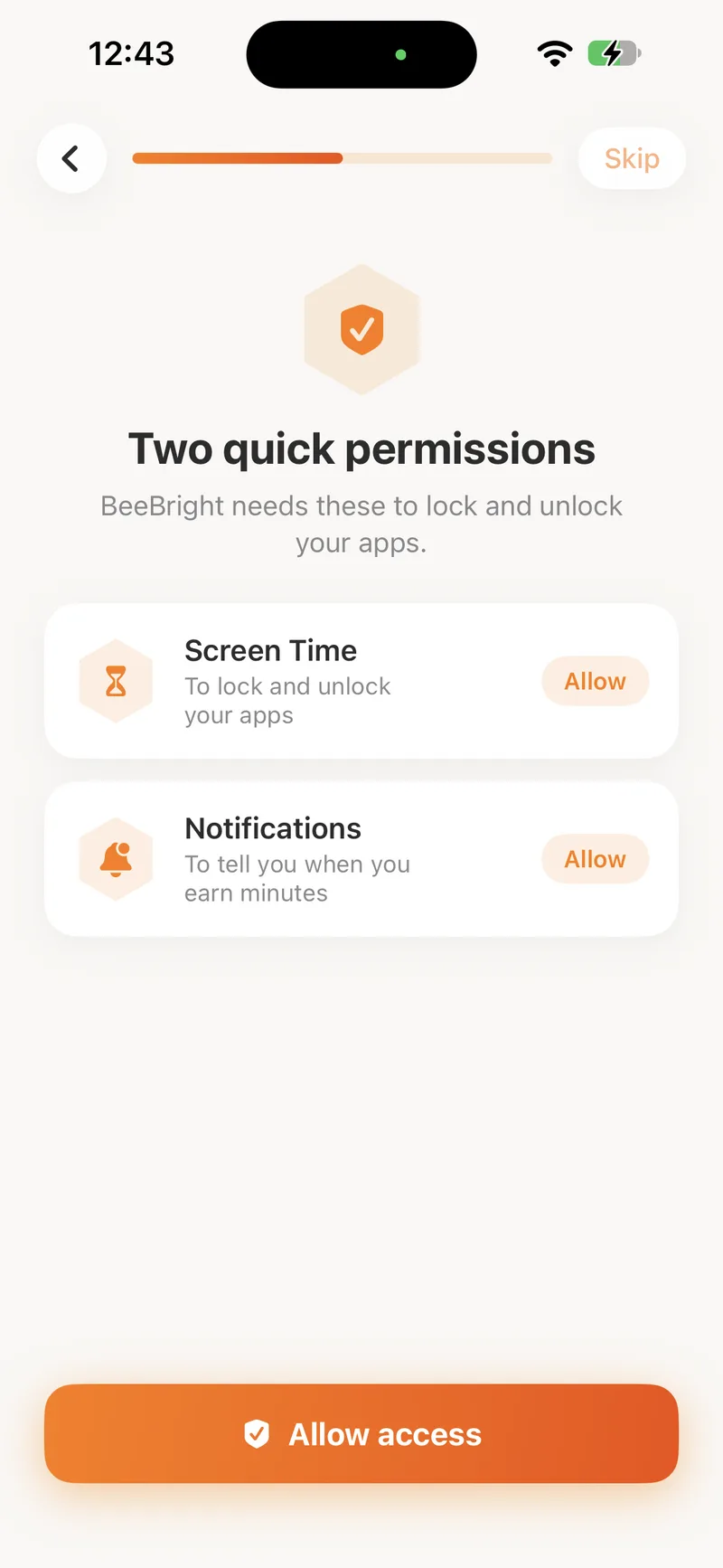
The Screen Time and notification permission screen

Set up in a few minutes

Pairing uses Apple's own family tools, so the rules hold even if the app is closed.

  1. Add your child to your Apple Family

    In Settings on your phone. Apple's Family Sharing is what lets one phone manage another.

  2. Allow Screen Time and notifications

    On the child's phone. Screen Time is what locks and unlocks the apps; notifications tell them when they earn minutes.

  3. Scan the code

    The child's phone shows a code, the parent's phone scans it, and the two are paired. Add as many children as you have phones.

What science says

Built on how motivation actually works.

The three ideas BeeBright is designed around, with the research behind each one.

Better screen time

What science says

There are harmful and beneficial applications.

American Academy of Pediatrics, 2026

What BeeBright does

BeeBright lets you categorise apps based on how they affect your child. It shifts screen time from doomscrolling to learning.

Motivation

What science says

Gamification has a positive impact on learning, motivation and behaviour.

Sailer & Homner, 2020, Educational Psychology Review

What BeeBright does

BeeBright gamifies learning, so your child spends more time growing and less time scrolling.

Positive habits

What science says

Low-stakes rewards can support learning progress in gamified learning.

Bai et al., 2026, Educational Research Review

What BeeBright does

BeeBright blends entertainment and improvement in small steps towards each other. Never bored, always improving.

Pricing

One plan, two ways to pay.

Every plan unlocks everything in the app for the whole family. Pick the billing period that suits you.

Monthly

₺299,00per month

Billed every month. Cancel any time.

  • Green, yellow and red zones for every child
  • Earning rate, daily cap and carry-over, per child
  • Block All Apps with one switch
  • Website blocking, up to 50 sites per person
  • Add and remove minutes by hand
  • Today and weekly insights
Save 33%

Yearly

₺2.390,00per year

₺3.588,00That's ₺199,17 a month

  • Green, yellow and red zones for every child
  • Earning rate, daily cap and carry-over, per child
  • Block All Apps with one switch
  • Website blocking, up to 50 sites per person
  • Add and remove minutes by hand
  • Today and weekly insights

Prices in Turkish lira, taxes included. Your subscription is tied to your BeeBright account, so signing in on the phone is all it takes. The free app lets you try the earning loop for 30 minutes before you subscribe.

Questions

Things parents ask first

No. BeeBright is built on Apple Screen Time and Family Controls. Leaving the app on a child's phone needs the parent passcode, and the rules keep working even if the app is closed.

Ready to turn screen time into brain time?

Create your account here, install the app, and you are set up in a few minutes.