
Green earns. Yellow spends. Red stays locked.
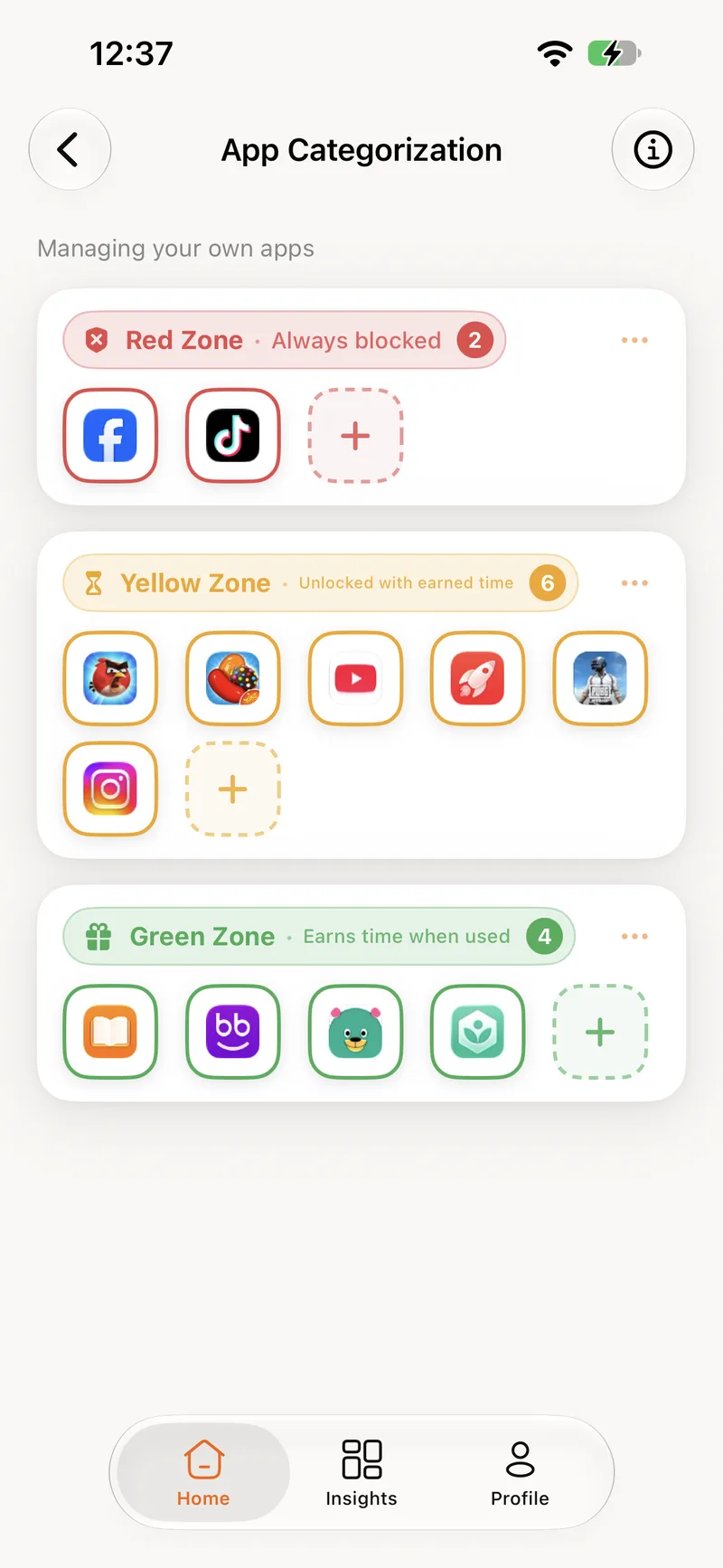
Every app on your child's phone belongs to one of three zones. You sort them once, set the exchange rate, and the phone takes care of the rest every day.
The apps that earn time
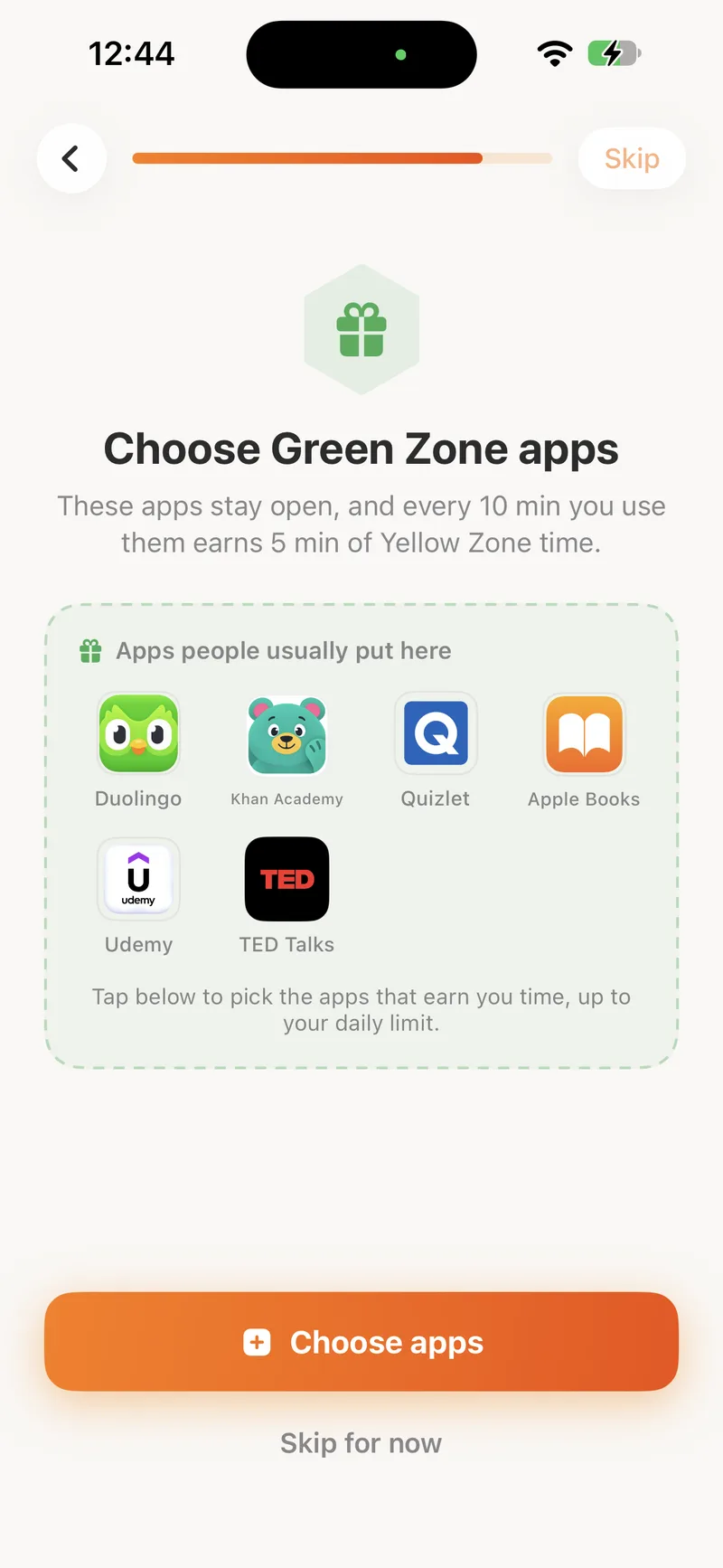
Reading, languages, maths, music practice, whatever you count as time well spent. Green apps are never locked, and the app counts the minutes only while one is on screen.
- Always open, whatever the balance
- Every minute earns yellow time at your rate
- Counting stops the moment the app leaves the screen
The apps that spend it
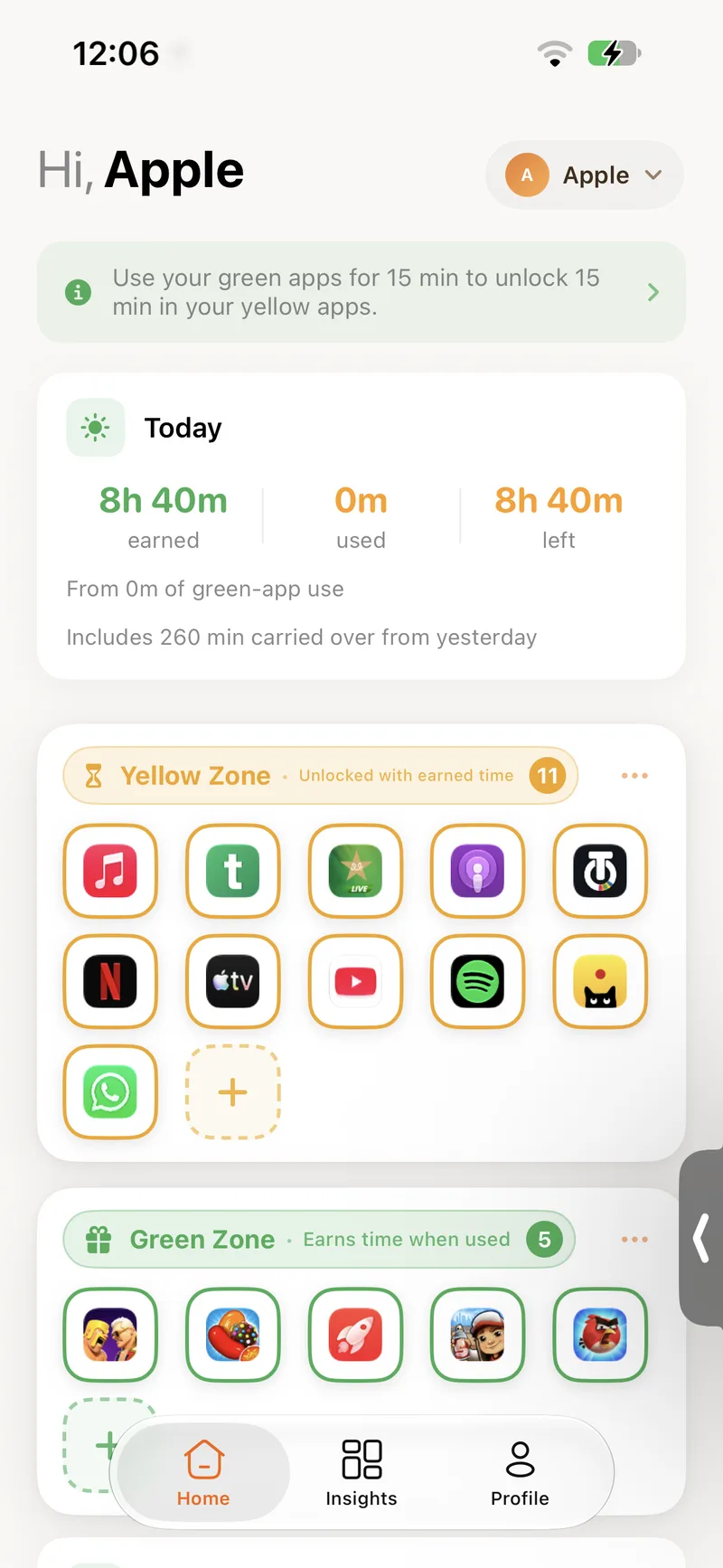
Games, video, chat, social. Yellow apps open like normal while there is earned time left. When the balance reaches zero they lock themselves and show the shield until more is earned.
- Open only while there is time left
- The shield explains how to earn more
- A notification when new minutes land
The apps that stay closed
Some apps should not be on the phone at all, but deleting them starts an argument. Put them in the red zone: they stay installed and stay locked, and no amount of earned time opens them.
- Blocked outright, no exceptions
- Earned time never applies
- Move an app out of red whenever you decide
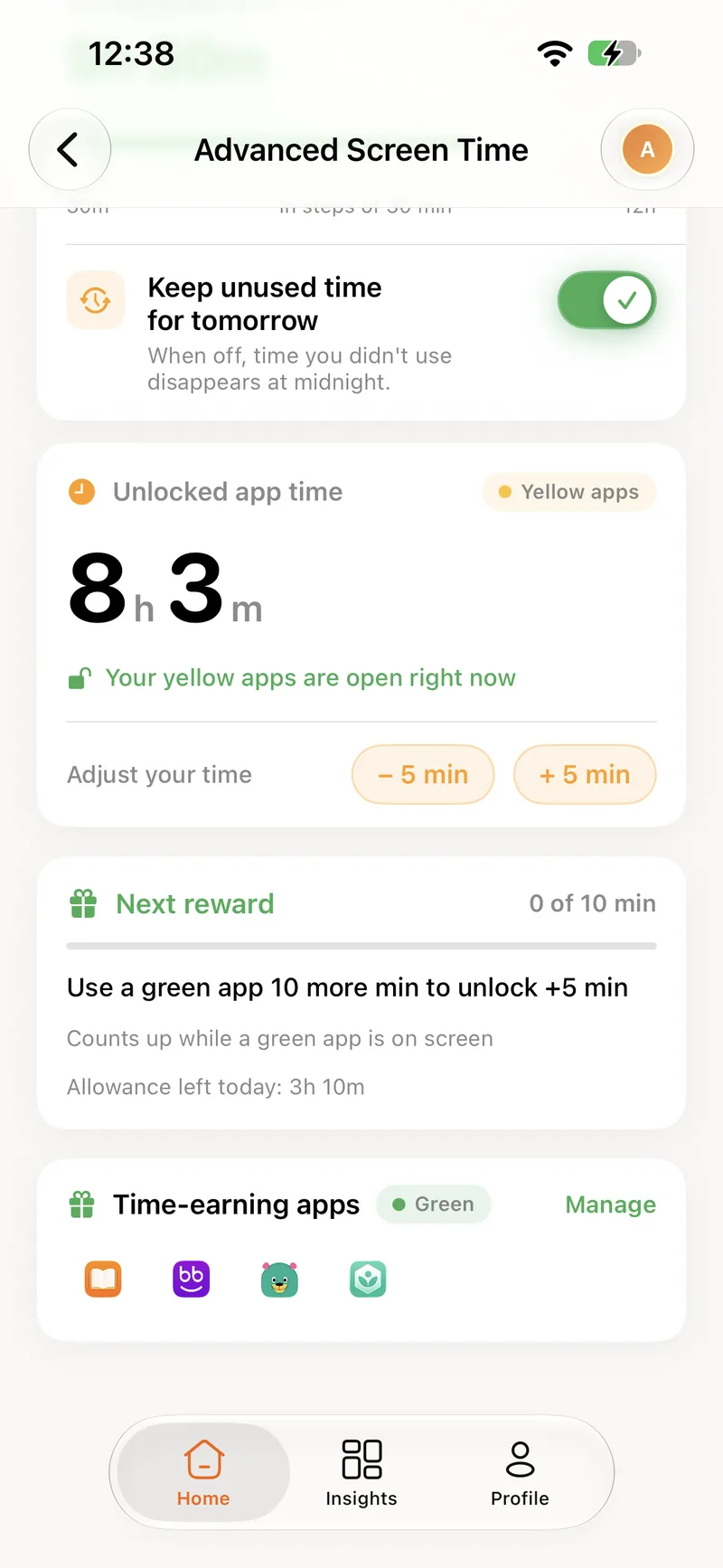
See the balance, adjust it when you must
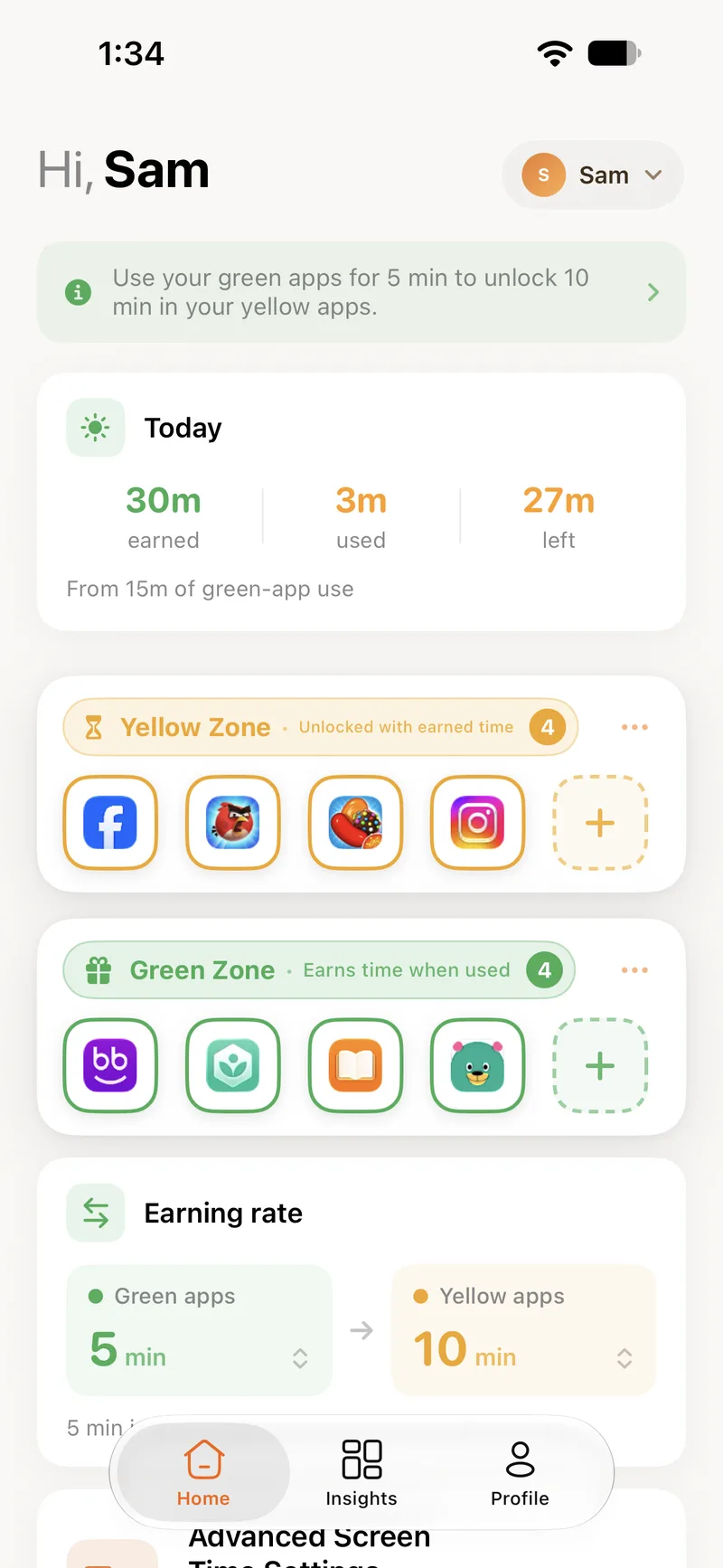
The Unlocked app time card shows exactly how long the yellow apps will stay open. Underneath, the Next reward bar counts up towards the next block of minutes.
- Add or remove five minutes by hand for the exceptions
- A progress bar towards the next reward
- Today's remaining allowance under the daily cap
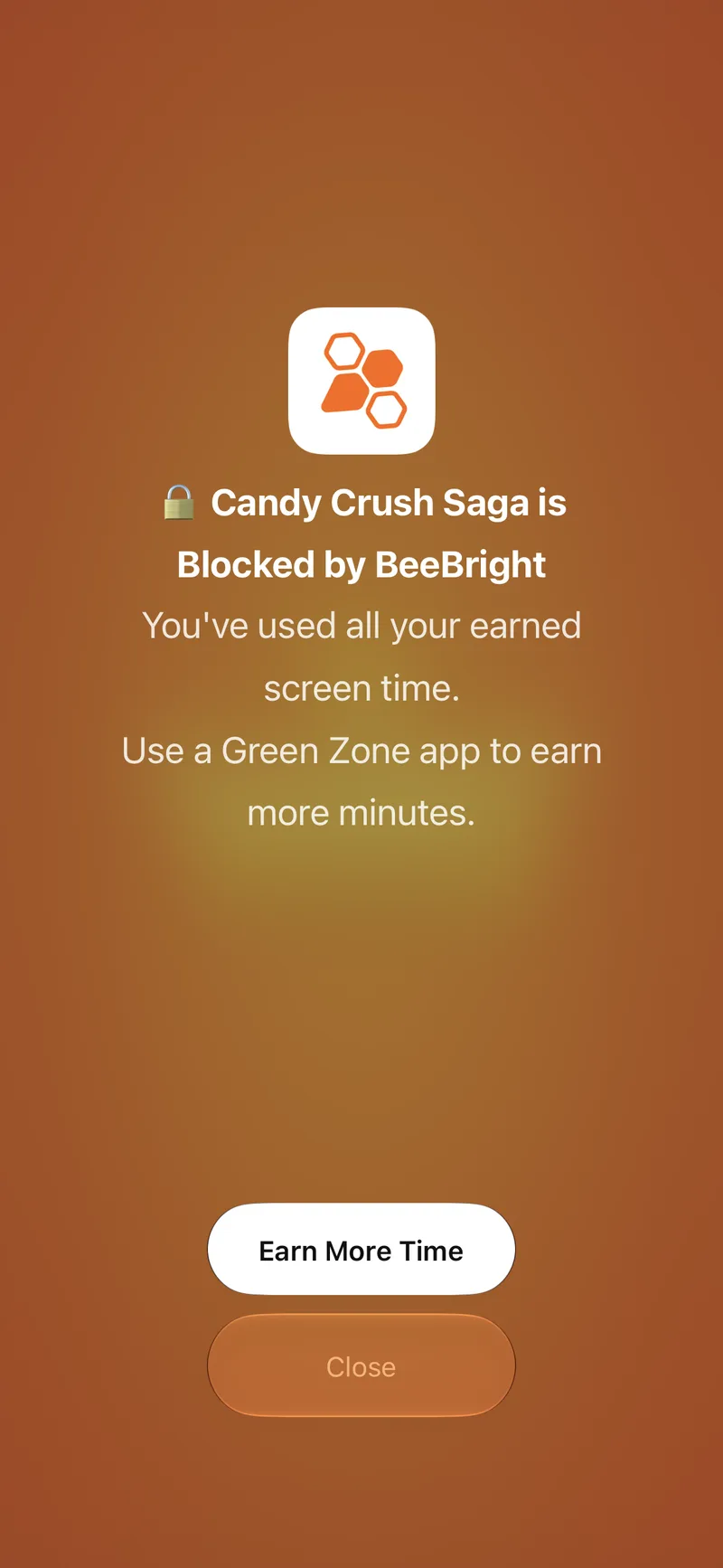
The phone says no, so you don't have to
When a yellow app is opened without time left, iOS shows BeeBright's shield in its place. The message names the app, says the balance is empty, and points to the green apps. One button opens BeeBright to earn more.
- Shown by iOS itself, so it cannot be swiped away
- Different wording for red apps and for children
You set what a minute is worth.
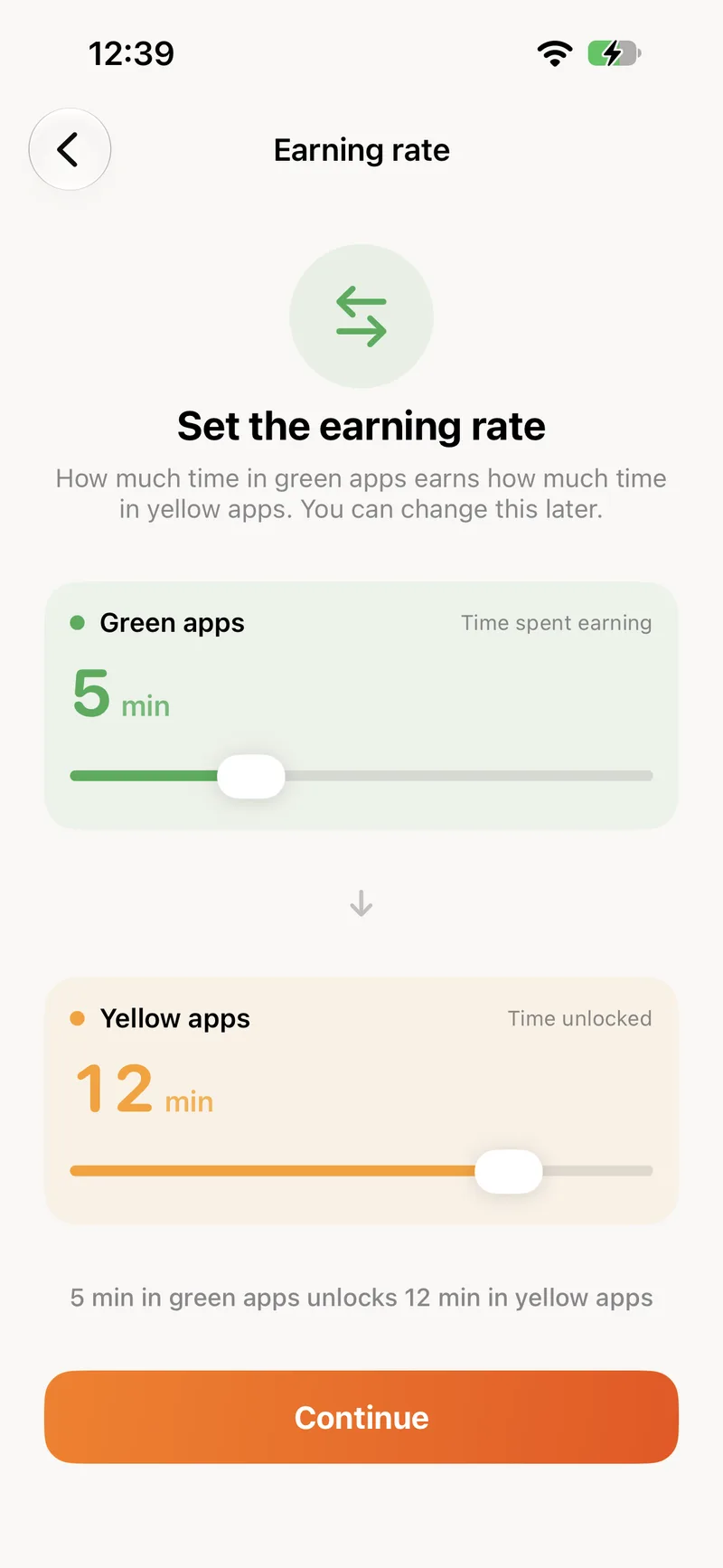
The exchange rate between green and yellow is yours to choose, from one to fifteen minutes on each side. Make it stricter or more generous whenever you like, per child.
Earning rate
5min
10min
Use your green apps for 5 min to unlock 10 min in your yellow apps.
An hour of green-app use earns about 120 minutes of yellow time.
About the zones
It works normally. Only apps you have placed in a zone are affected, so system apps like Phone and Messages stay untouched unless you decide otherwise.
Ready to turn screen time into brain time?
Create your account here, install the app, and you are set up in a few minutes.